Paperpal Preflight Presubmission Check
Paperpal Preflight has partnered with EndNote to provide presubmission assessments of writers' documents for a one-time fee for each document. You can access the Preflight submission site directly from Microsoft Word through the Cite While You Write (CWYW) toolbar in EndNote.
Trained on millions of published articles, Preflight helps EndNote users identify and correct technical and language issues in their manuscript prior to submission, minimizing chances of desk rejection. To submit your article for assessment:
- Open your default browser, and go to Word.
- In Word, close and save your document but leave Word open. Preflight will accept both Word documents and PDFs for assessment.
- Click the Preflight Presubmission Check button in the EndNote toolbar.

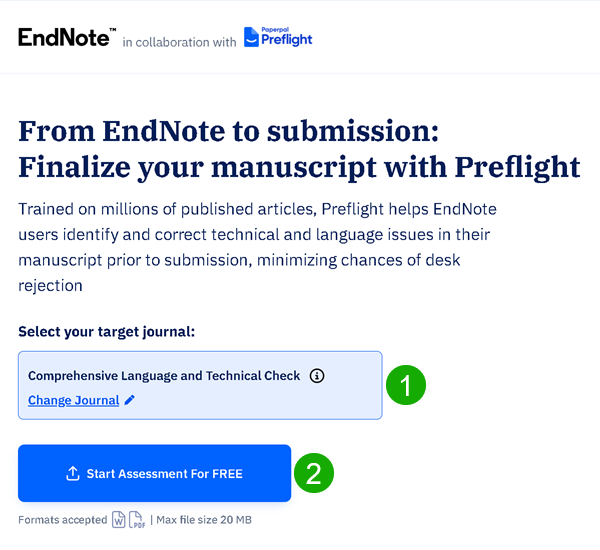
- You will be taken to the Preflight website, where you can submit your document by 1) choosing the journal you want to submit the document to, and 2) clicking Start Assessment for FREE and uploading your document to Preflight. The maximum document size for upload is 20MB.
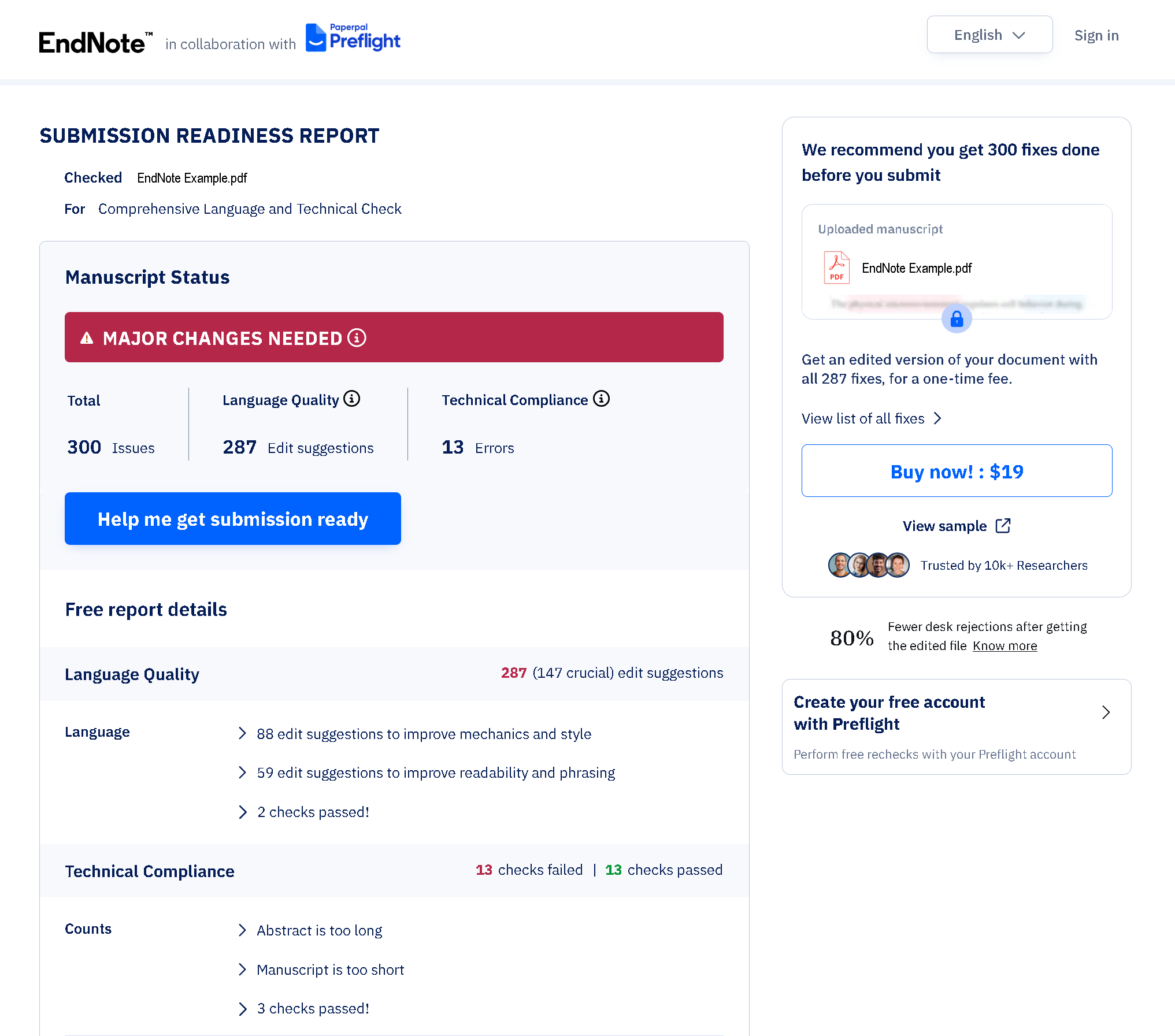
- When the assessment is complete, you will see a summation of the number of errors found in a screen similar to the one below. The assessment may take several minutes, so please be patient.
- At this point you can use the
 buttons to see information about the errors in your document, then decide if you want to pay a one-time fee to download an edited version of your document.
You can find more information about Paperpal Preflight at https://preflight.paperpal.com/partner/endnote.